
Families add belongings
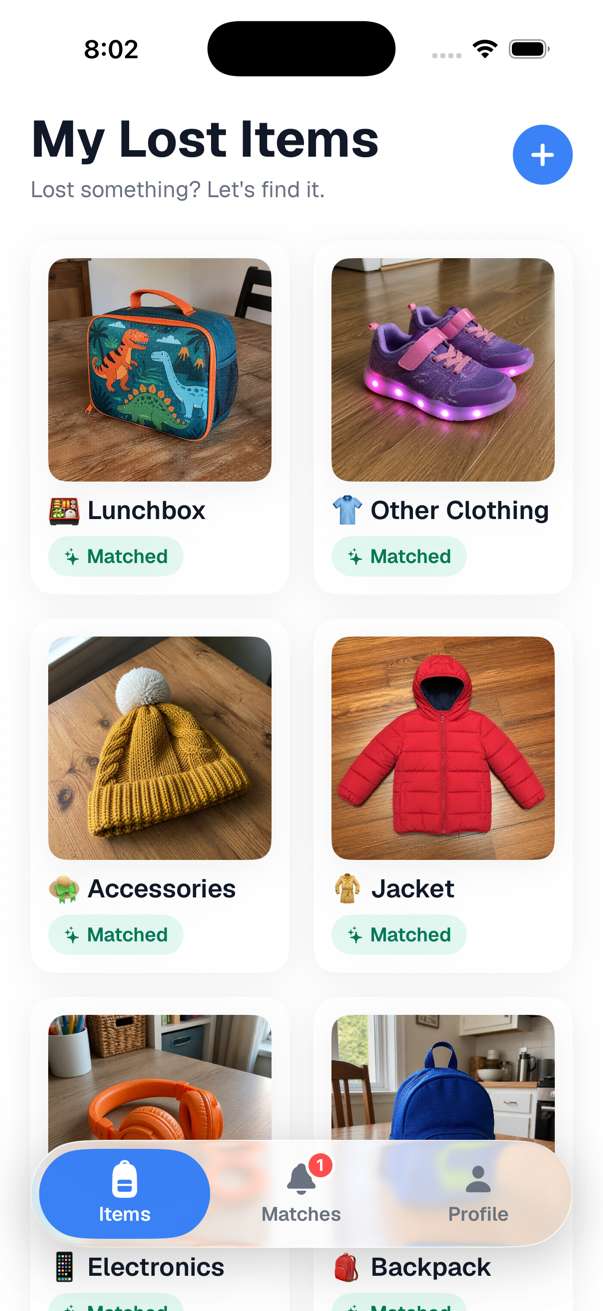
Add the jacket, backpack or water bottle before it goes missing, with a few photos from home. Lost something already? Start with a photo you already have.
School staff photograph what turns up. Found at School suggests matches and alerts families when something looks like theirs.
How it works
No lost-and-found bin to dig through. The app does the looking.
Add the jacket, backpack or water bottle before it goes missing, with a few photos from home. Lost something already? Start with a photo you already have.
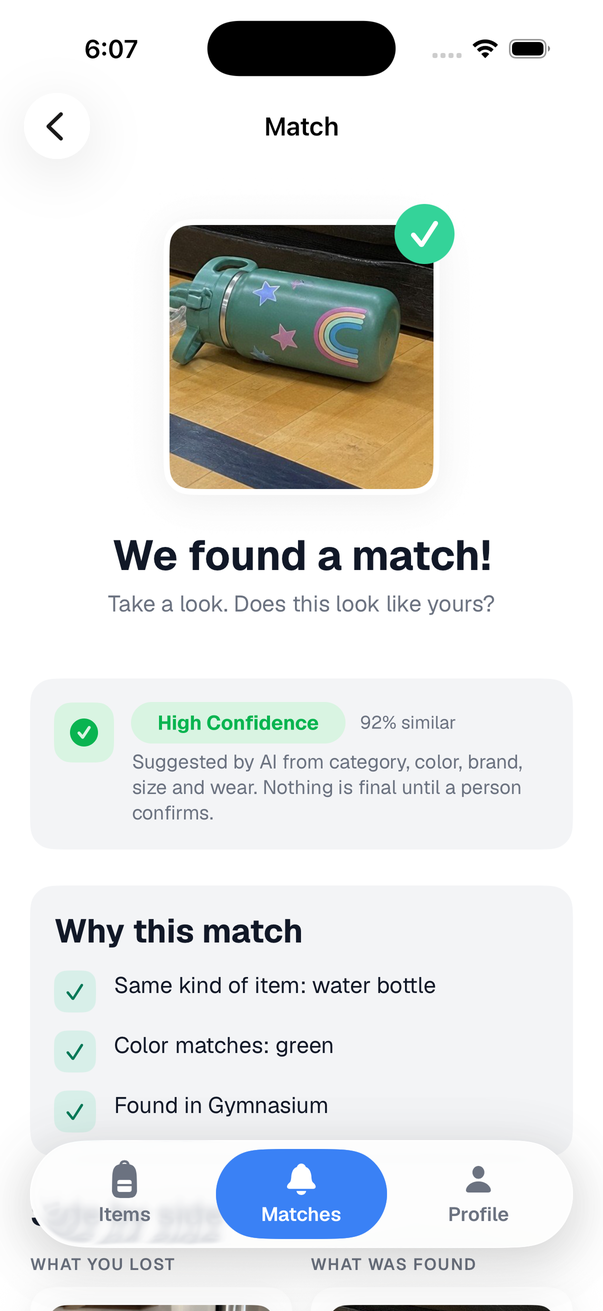
An AI service describes each found item's photos, and the app compares that with what families added: category, color, brand, size and wear. When something looks like yours, you get a notification.

You look at the matched photo and say "that's mine". Staff confirm on their side and it's ready for pickup at the office. Nothing moves until two people agree.
Watch it happen in thirty seconds.
For families
Add your child's things once. When their items are found at school, you get a notification, claim the item, and pick it up at the office.
 Add it in a minute. A few photos from home and the color, brand and size. Do it before anything goes missing, or the day it does.
 "We found a match!" A notification with the school's photo next to yours. You decide: that's mine, or not mine.
 Yours to control. See who has viewed a report, download everything, or delete your account any time.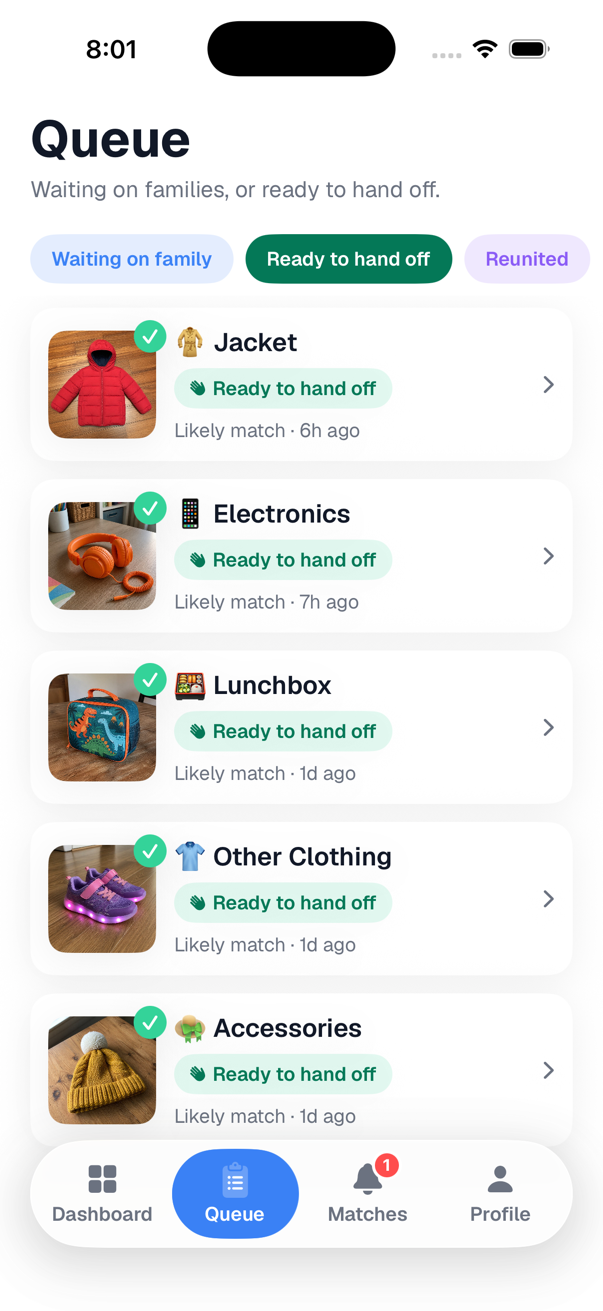
For schools
Three taps per item. No spreadsheet, no bin to sort, no "is this yours?" emails. Free for schools during the pilot.
Free for schools during the pilot. Families join with a code from you or your roster; staff sign in with school accounts. Retention, access logs and audit export are there for your district's questions. Built for kids, run by adults.
Privacy and safety
Children never use the app. Parents and school staff do, and the app keeps as little as it can for as short a time as it can. Districts: the full data inventory, retention and security details are on request from hello@foundat.school.
Before a photo leaves the phone, faces are detected and blurred. The server checks again with a second model and holds anything it cannot verify.
Reports, found items and their photos are deleted after the school's retention period, 90 days by default. Accounts can be deleted by the parent at any time.

Operates as a school official under FERPA, no advertising or tracking, every access logged, and a plain-language AI disclosure.
Questions
Any photo you already have works: the item at home, or your child wearing it (faces are blurred on your phone before upload). The app asks for a few angles so staff can recognise it; use what you have. The best time to add belongings is before they go missing.
No. Accounts are for parents, guardians and school staff. A parent registers a child's first name, grade and teacher so found items can be matched; the child never signs in.
Photos of found items are described by an AI service and compared with open reports by category, color, brand, size and wear. It suggests; people decide. A family confirms a match and a staff member confirms the hand-off.
Faces are blurred on the phone before upload and checked again on the server. Photos live in the school's private storage and are deleted with the report after the retention period.
Sign in with Google or Apple, then enter the eight-character code your school shares, or be matched automatically from the school's roster.
Found at School is rolling out school by school, starting with a pilot in Nashville. Get in touch if you'd like your school next.